Explore the NavalArch Pro Editor interface and its core capabilities through real application screenshots.
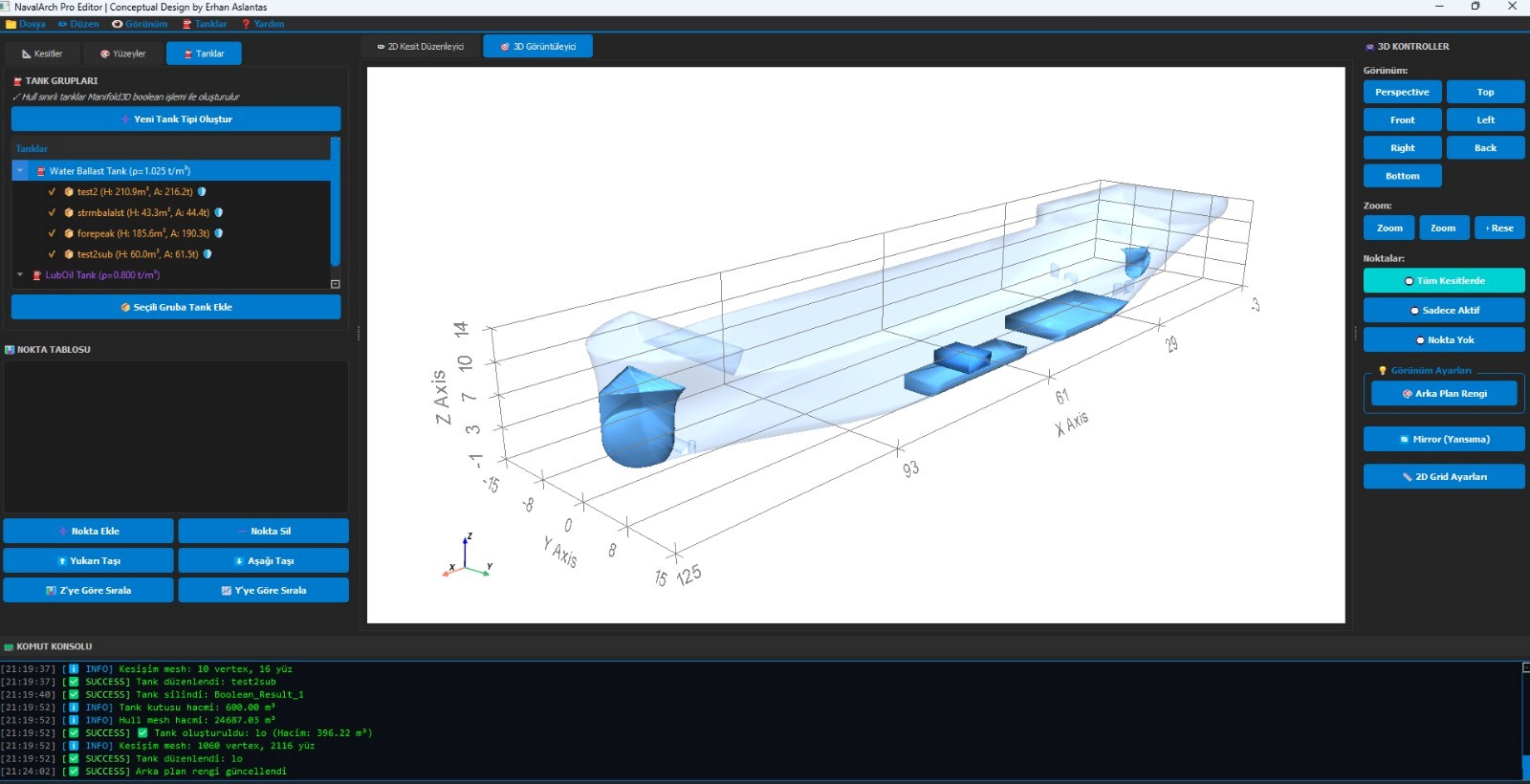
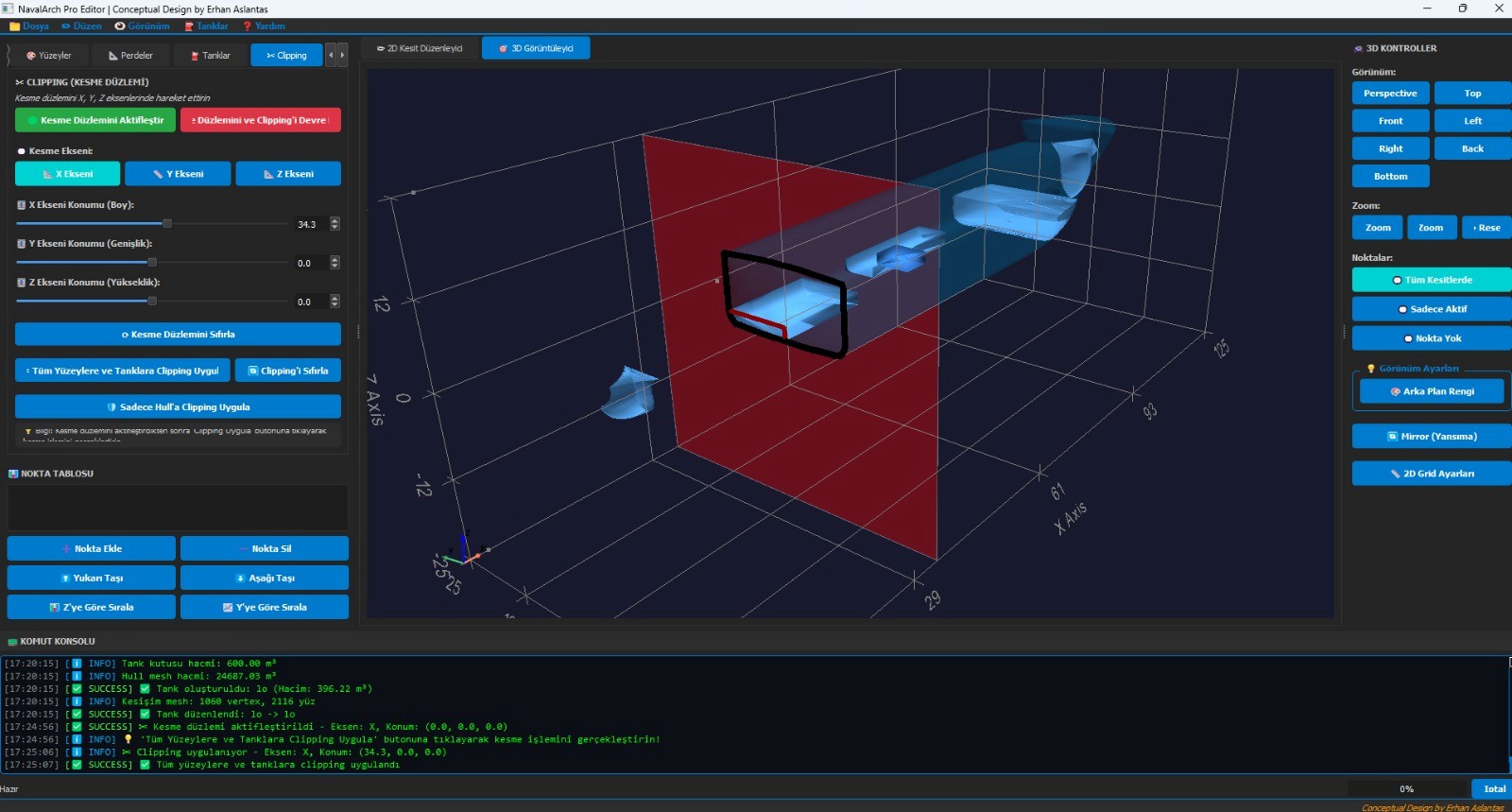
The main editor window showing the Tank Groups panel on the left, the 3D viewer with hull and ballast tanks rendered in real time, and the command console at the bottom for live operation feedback.
Main Editor
3D Hull View
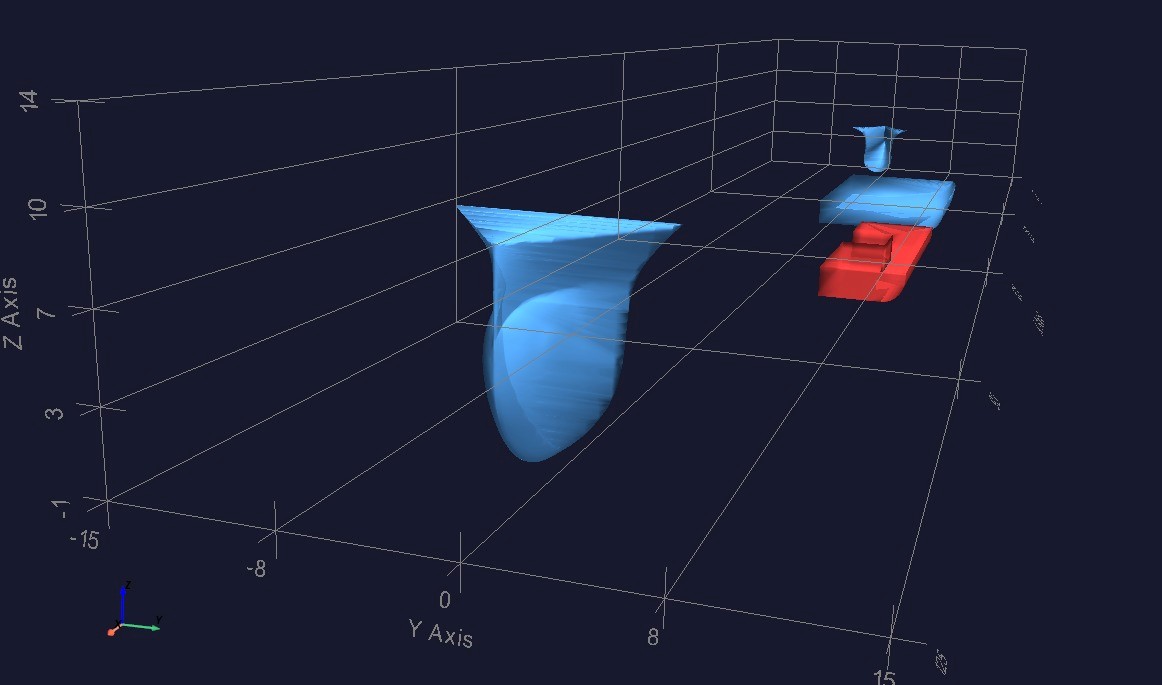
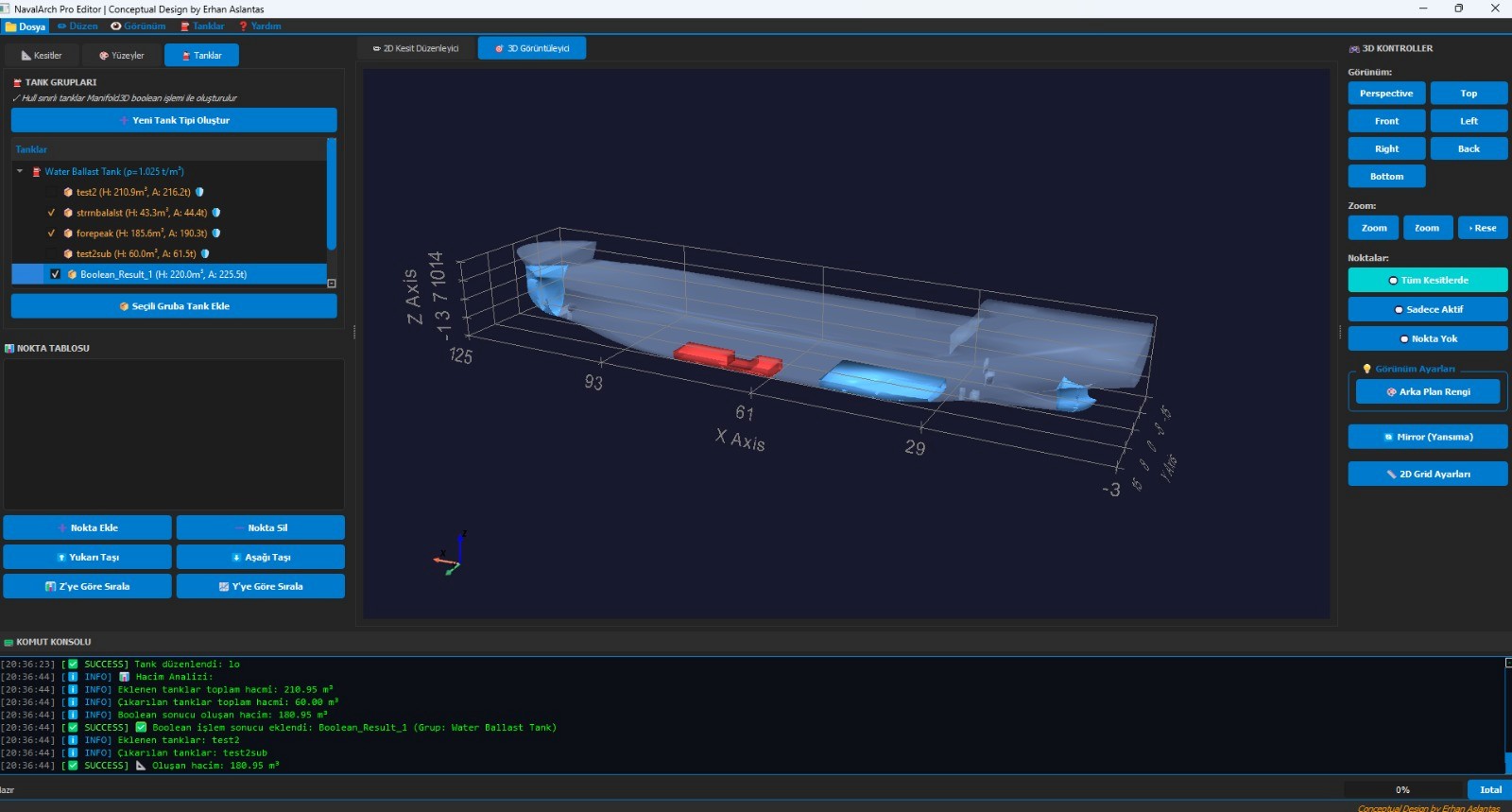
Hull & Tanks
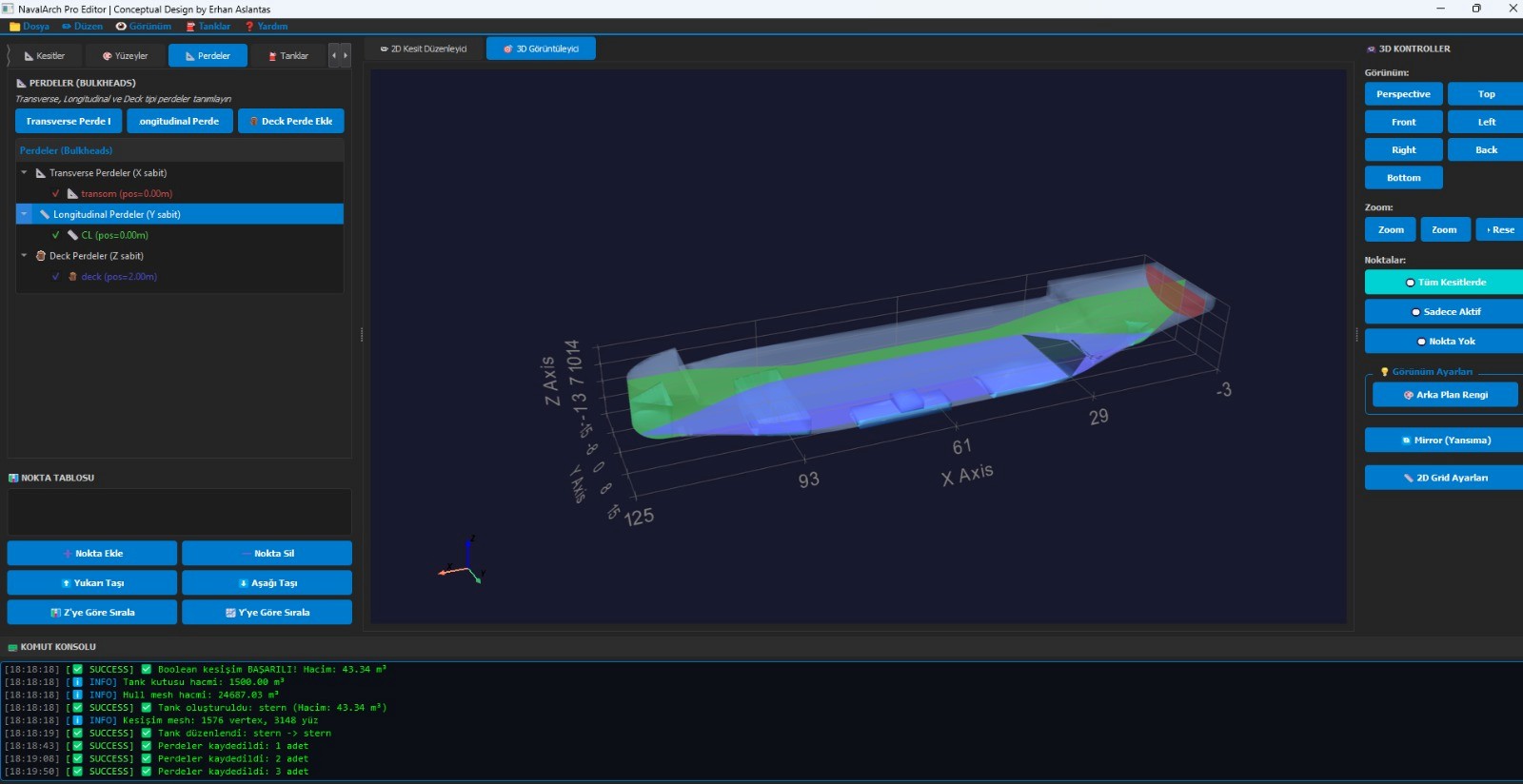
Bulkheads
Clipping Plane
Tank Analysis
A complete conceptual design environment covering every major phase of early-stage ship design.
Define and visualize the ship hull as a 3D surface mesh. Switch instantly between 2D section editor and full 3D viewer, with support for perspective, top, front, side, and back views.
Create and organize Water Ballast Tanks and Lube Oil Tanks into named groups. Each tank stores geometry, density, volume, and area data. Multiple tanks per group are fully supported.
Use the Manifold3D Boolean engine to carve tanks directly from hull geometry. Intersection, union, and subtraction operations generate watertight tank meshes that perfectly conform to the hull shape.
Add Transverse (X-fixed), Longitudinal CL (Y-fixed), and Deck (Z-fixed) bulkheads in a dedicated panel. Each bulkhead type is color-coded in the 3D view for quick spatial reference.
Activate a movable cutting plane along any axis (X, Y, or Z) to inspect internal structure. Apply clipping to the full model or just the hull, and reset instantly with one click.
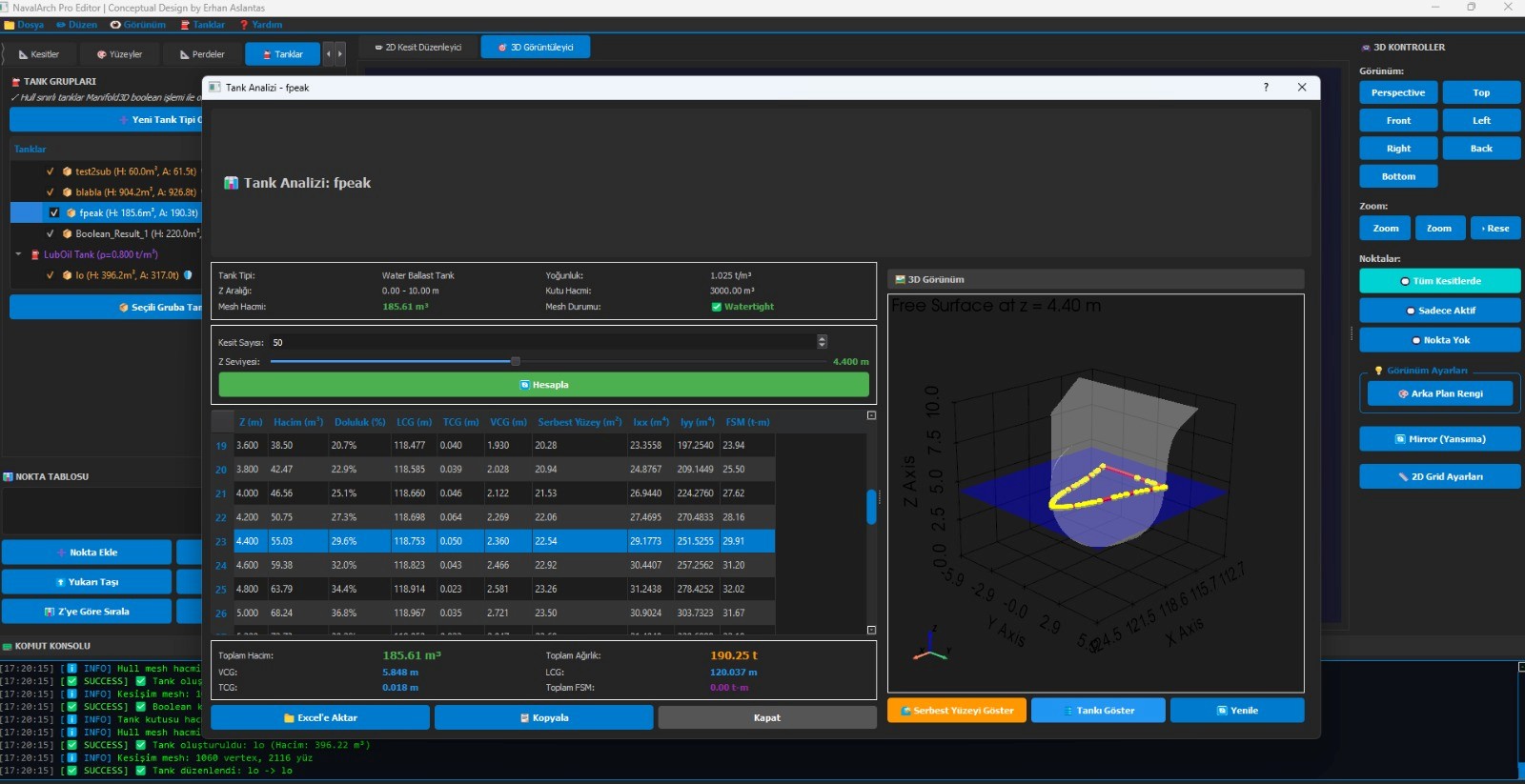
Run a full hydrostatic analysis for any selected tank. A tabular report across 50 draft levels shows volume, LCG, VCG, free surface area, and FSM — all exportable to Excel.
For each tank, NavalArch Pro computes a full draft-vs-volume table using 50 cross-section slices. Every row in the report gives you volume (m³), deadweight (t), LCG, VCG, free surface area, and the Free Surface Moment (FSM) — critical inputs for vessel stability booklets.
NavalArch Pro's 3D controller gives you full spatial control over the model at every step of the design process.
Switch between Perspective, Top, Front, Left, Right, Back, and Bottom views instantly with the 3D Controller panel.
Zoom in and out freely, or reset to the default view with a single click to regain full model context.
Apply port/starboard symmetry mirroring to any surface or tank, halving modelling time for symmetric vessels.
Configure the background grid density and alignment to suit your modelling scale and preference.
NavalArch Pro combines industry-grade geometry processing with a clean, accessible interface.
Industry-standard Manifold3D library powers watertight Boolean mesh operations — ensuring tanks carved from hull geometry are always geometrically valid and analysis-ready.
Every operation — tank creation, Boolean result, mesh update, volume calculation — is logged in real time in the command console, giving full transparency and reproducibility.
Tank analysis results — including the full 50-row hydrostatic table with LCG, VCG, and FSM — can be exported directly to Excel for use in stability booklets and regulatory submissions.
Get in touch to learn more about NavalArch Pro Editor and request a live demonstration.